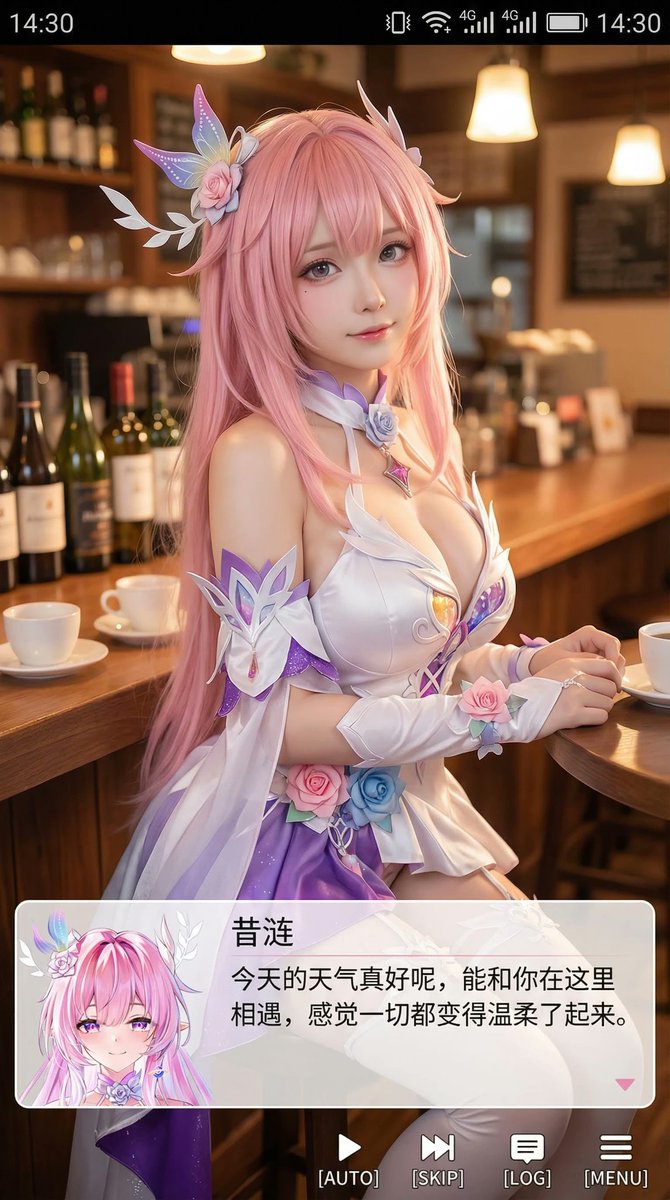
9:16 Cosplayer Portrait Screenshot
Source
ZoulinshenPrompt
Generate a vertical mobile screenshot-style image with an overall aspect ratio close to 9:16. Slightly above the center of the image is a real cosplayer portraying the anime character "(character name)". The character has a realistic style, but with slightly anime-like facial features, delicate skin, and slightly larger eyes. They are looking gently at the camera, seated in a casual indoor setting, such as a cafe or at a bar counter, with props in the background that fit the scene. Add a mobile system status bar UI at the very top of the image, including icons for time, battery, signal, network, etc., to make the entire image look like a phone screenshot. Overlay a wide, semi-transparent galgame-style dialogue box at the bottom of the image. On the left side of the dialogue box, place an anime or Q-version avatar corresponding to the character in the image. On the right side of the dialogue box, arrange the text: the first line should display the same character name as before in a larger font, followed by one to two lines of gentle, healing-style simplified Chinese dialogue suitable for the character's persona, which you create automatically. Below the dialogue box, add an action bar, mimicking a galgame UI. The overall style should be high-definition, rich in detail, with soft lighting, and a natural fusion of anime and real-person photography.